WhatsApp introduces new security feature called Chat Lock, which allows users to lock their chats with a passcode. Now, they have implemented the Secret Code feature, providing an additional layer of protection for hidden chats. Users can set a unique password for their locked chats, making it more difficult for others to access their conversations. To set the Secret Code, users can open the Chat Lock folder, go to Chat Lock settings, and create a code consisting of words or emojis. Locked chats will not show on the chat list and can be accessed by entering the secret code.
WhatsApp introduces new security feature called Chat Lock, which allows users to lock their chats with a passcode. Now, they have implemented the Secret Code feature, providing an additional layer of protection for hidden chats. Users can set a unique password for their locked chats, making it more difficult for others to access their conversations. To set the Secret Code, users can open the Chat Lock folder, go to Chat Lock settings, and create a code consisting of words or emojis. Locked chats will not show on the chat list and can be accessed by entering the secret code.
We use cookies to improve your experience on our site and to show you relevant advertising. To find out more, read our updated privacy policy and cookie policy

 Through RSS Feeds
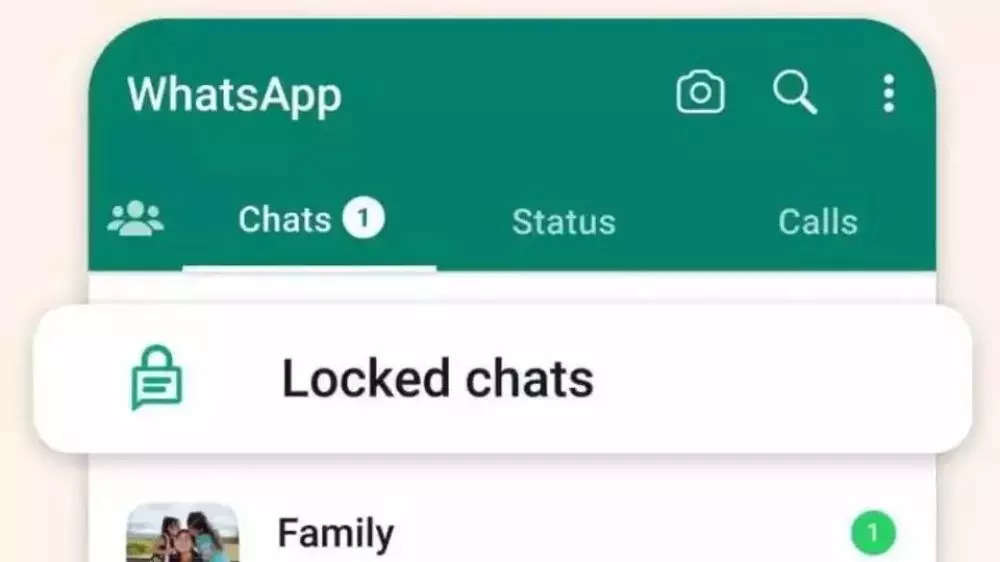
 WhatsApp introduces new security feature called Chat Lock, which allows users to lock their chats with a passcode. Now, they have implemented the Secret Code feature, providing an additional layer of protection for hidden chats. Users can set a unique password for their locked chats, making it more difficult for others to access their conversations. To set the Secret Code, users can open the Chat Lock folder, go to Chat Lock settings, and create a code consisting of words or emojis. Locked chats will not show on the chat list and can be accessed by entering the secret code.